
What's inside
See what you get, before you join.
Real screenshots from a real member account. No signup required to look around.
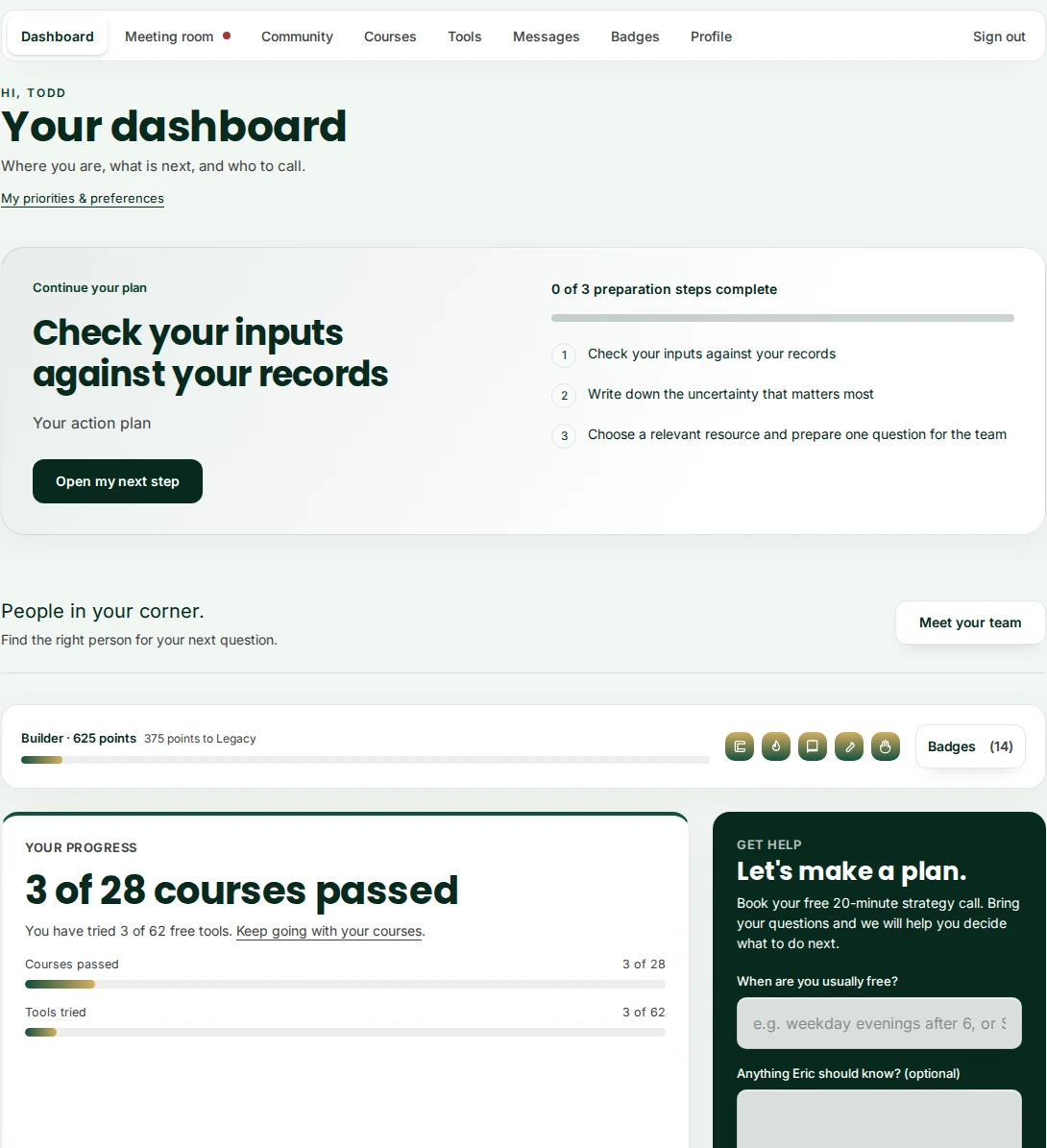
Your dashboard
One screen. Your whole plan.
Sign in and you land here: the one thing to do next, how far you have gotten, and a direct way to reach Eric when you are ready. Nothing to dig for.
- Your next action, picked for you, not a wall of options
- Course and tool progress in one glance
- A form right there to request a free call
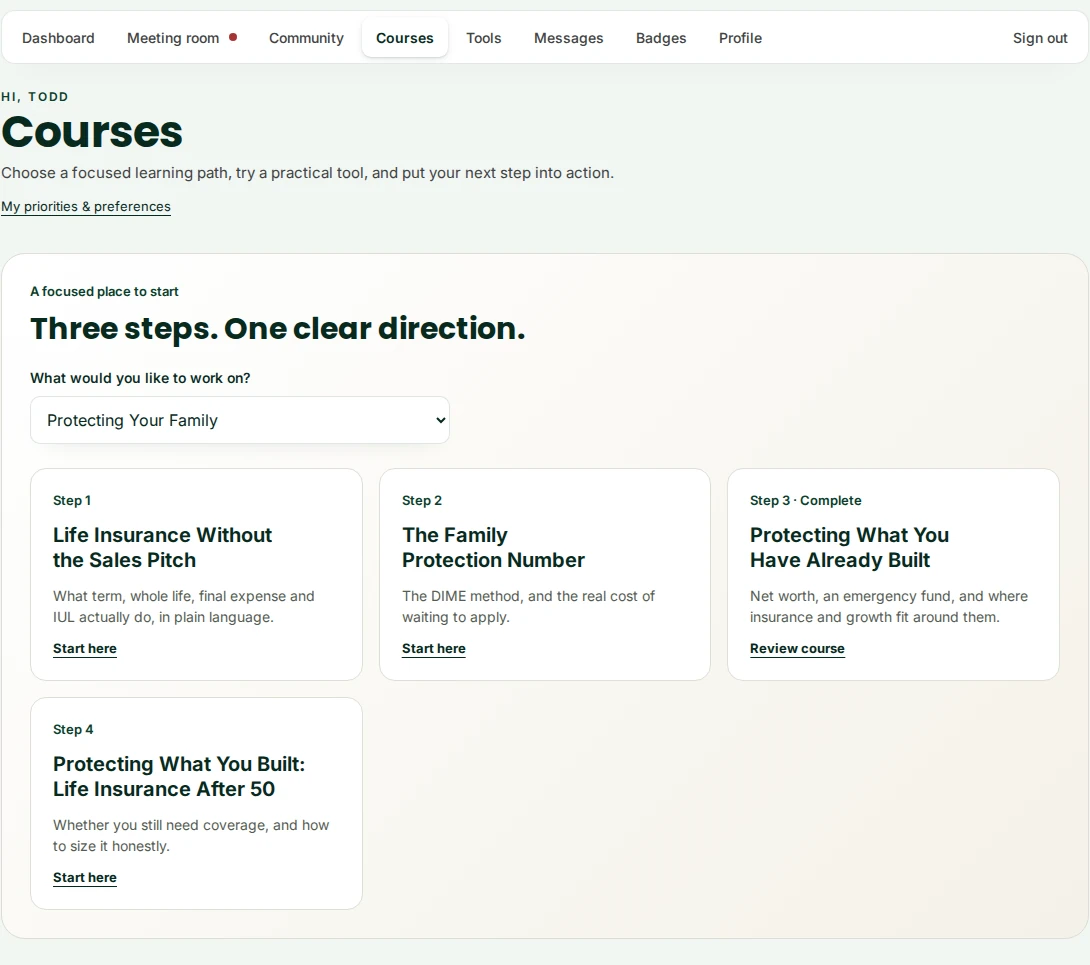
Courses
23 short courses, in an order that actually makes sense.
Pick what you are working on and get a focused, three or four step path instead of a long list to sort through yourself. Plain language, no jargon, and every lesson tracked as you go.
- A guided path for family protection, taxes, and more
- Plain-language lessons, never a sales pitch
- Your progress saves automatically as you complete each one
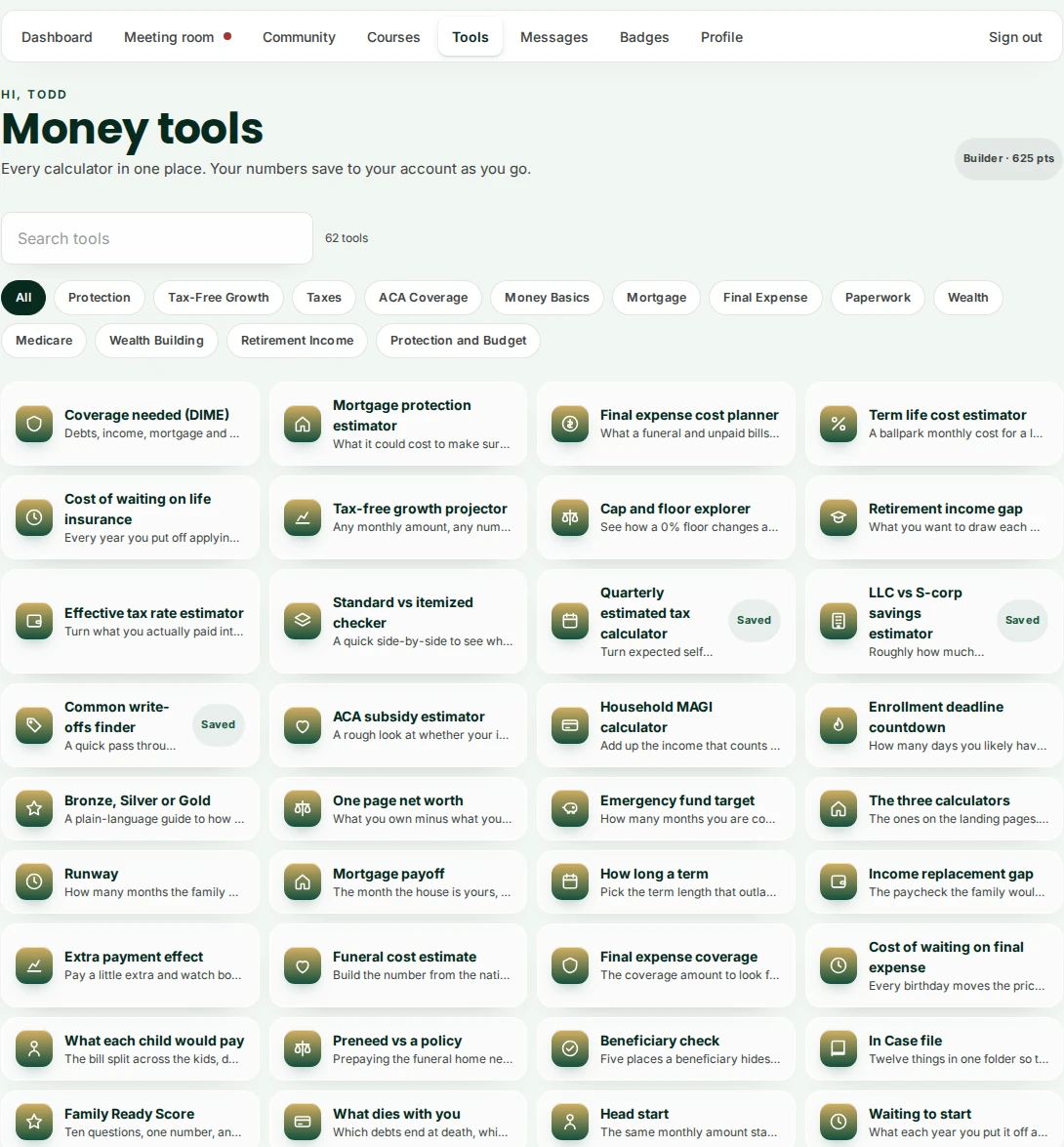
Money tools
50 free calculators, every one saved to your account.
Every calculator on the public site, plus members-only ones, all in one place. Filter by what you are solving for, run the numbers, and come back later exactly where you left off.
- Filter by Protection, Mortgage, Final Expense, Retirement, and more
- Search across all 50 tools in one box
- Results save to your account, nothing to redo
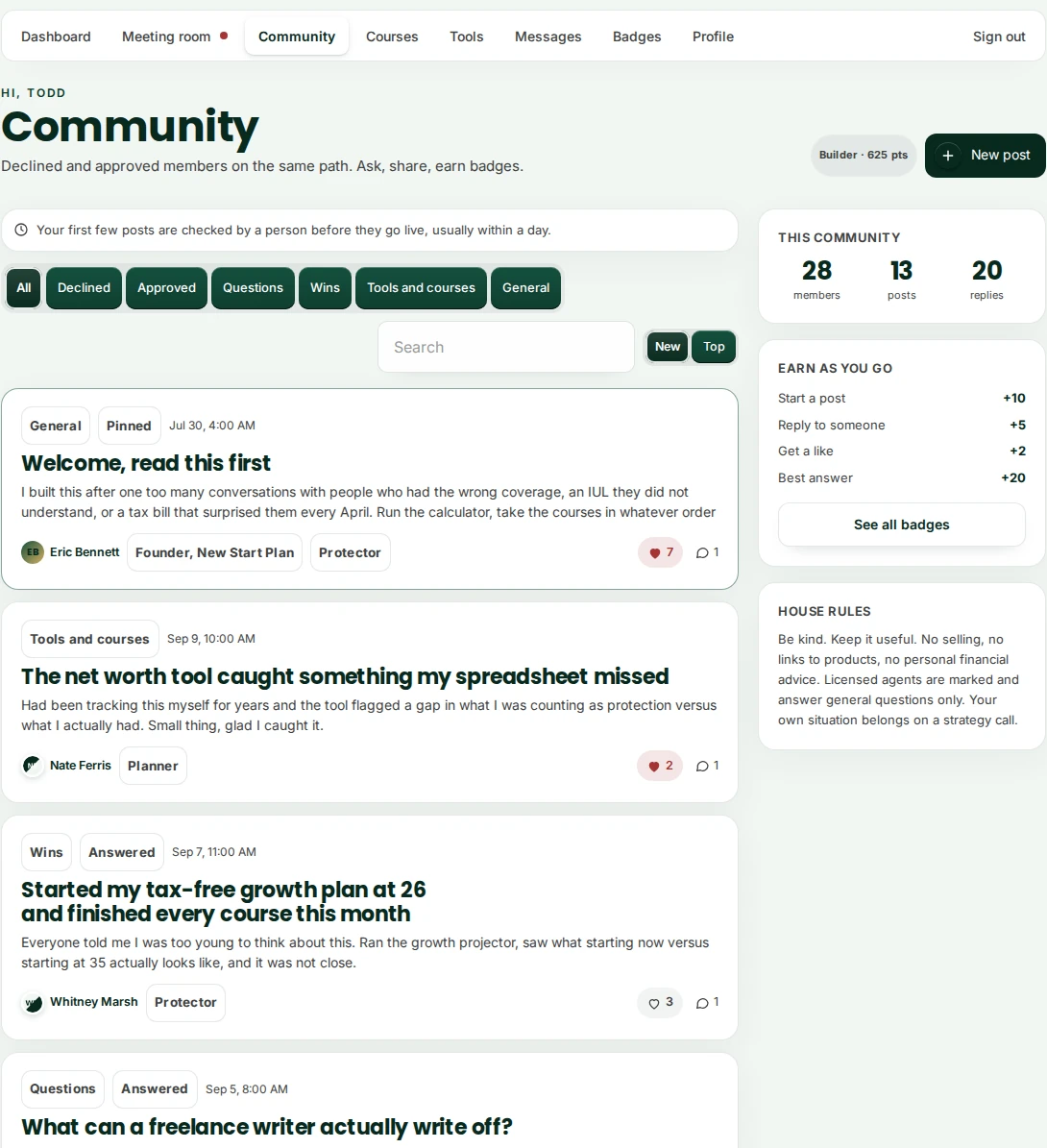
Community
A community of people on the same path.
Ask a question, share a win, and get an answer from someone who has actually been there, including Eric directly. Every new member's first few posts are checked by a person before they go live, and it is never a place to sell to each other.
- Real questions and real answers, not a comment section
- Eric shows up marked as staff, so you know who is the licensed professional
- Earn points and badges for showing up and helping others
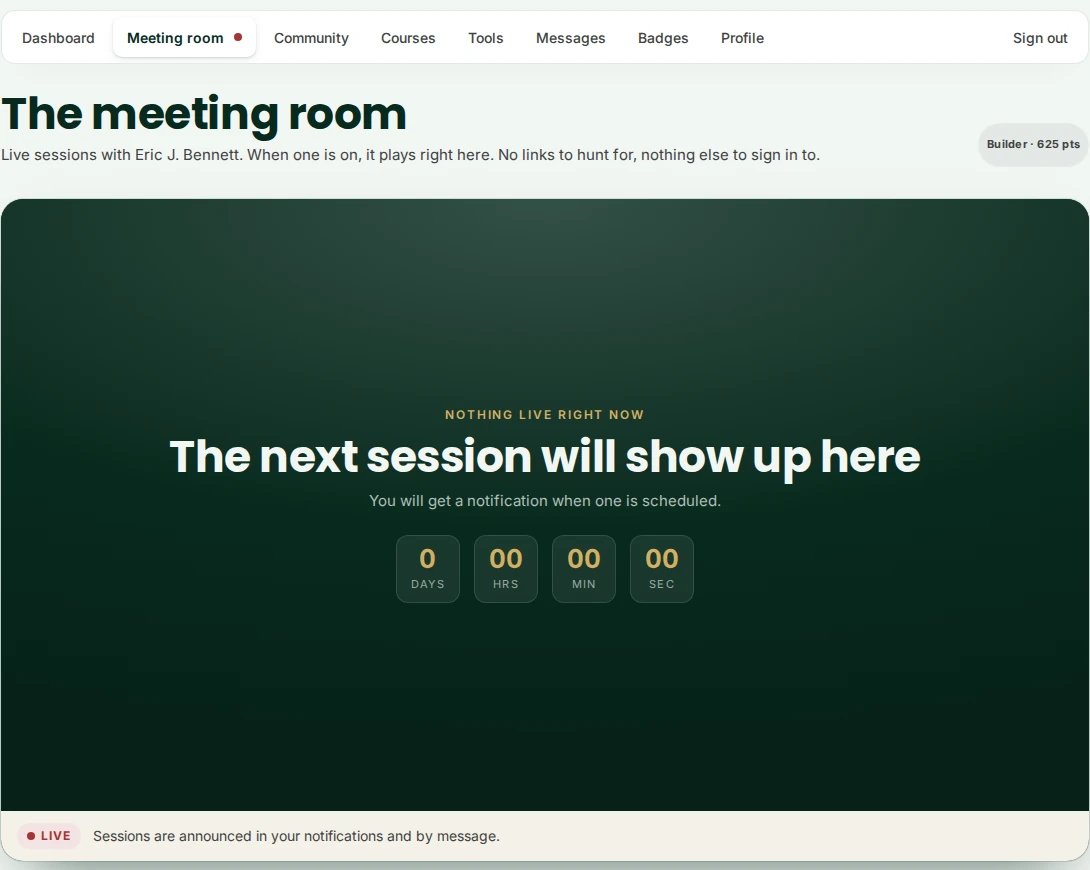
Live sessions
Live sessions with Eric, right on this page.
When a session is scheduled, you get notified and it plays right here in the meeting room. No separate link to hunt for, no other app to sign in to.
- One page for every live session, past and upcoming
- A notification when a new one is scheduled
- Ask questions in the community or by message
Free to join. Nothing to buy.
Create your account and every screen above is yours.